View Dashboard
Why does my Dashboard say “Hmm! Not Enough Data To Produce Meaningful Charts”?
How do I add tags in Events in the Dashboard?
How come my interactions do not equal the same number of prospects?
Where can I read the latest recruitment news from Rakuna?
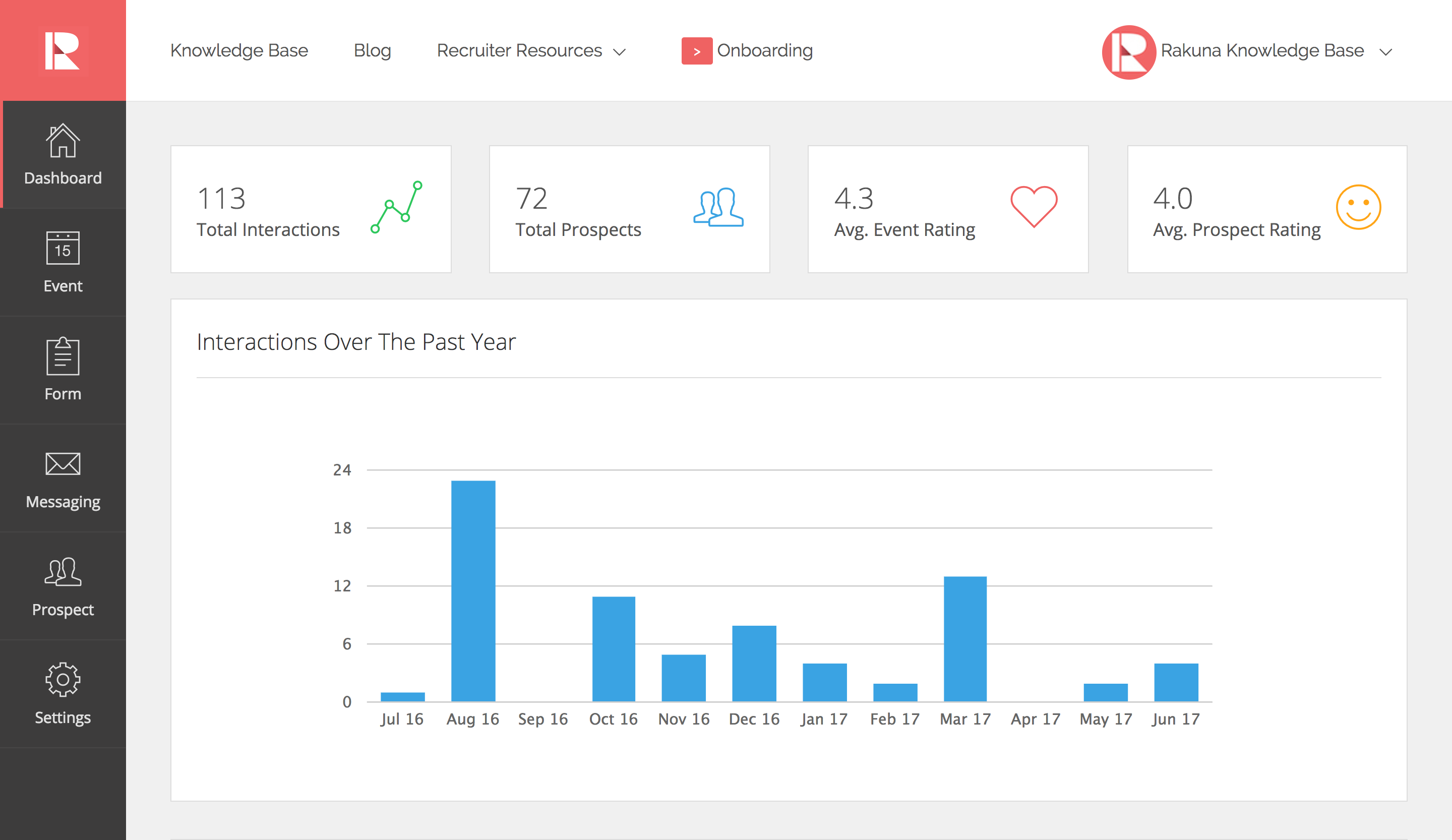
Dashboard gives you an overview of your recruiting team’s performance by showing key indicators such as total interactions, total prospects, and average event ratings. You can also evaluate the effectiveness of each recruiting event and the ability of each recruiter through prospects’ rating.
Why does my Dashboard say “Hmm! Not Enough Data To Produce Meaningful Charts”?
Your Dashboard will display this message if your organization has participated in fewer than five events. After your fifth event, data will be displayed on your Dashboard.

How do I add tags in Events in the Dashboard?
You cannot add tags in “Events” as they are automatically generated.
How come my interactions do not equal the same number of prospects?
Your interactions may not equal the same number of prospects due to a prospective candidate potentially having multiple interactions. He or she may meet and get evaluated by multiple recruiters from your organization at an event or multiple occasions.
Where can I read the latest recruitment news from Rakuna?
Check out Rakuna’s blog! Click the “Blog” icon next to the Rakuna logo in the top left corner of the screen. Rakuna blog is exclusively curated for our customers to keep you updated of recruiting trends and best practices.