View Candidates
What can I do with the prospect data?
Where can I view a summary of the prospect data?
Can I share prospect data with other hiring managers without giving them access to Rakuna?
To view candidates from a specific event: Open up the desired event, click “Total Interactions” to view candidates.
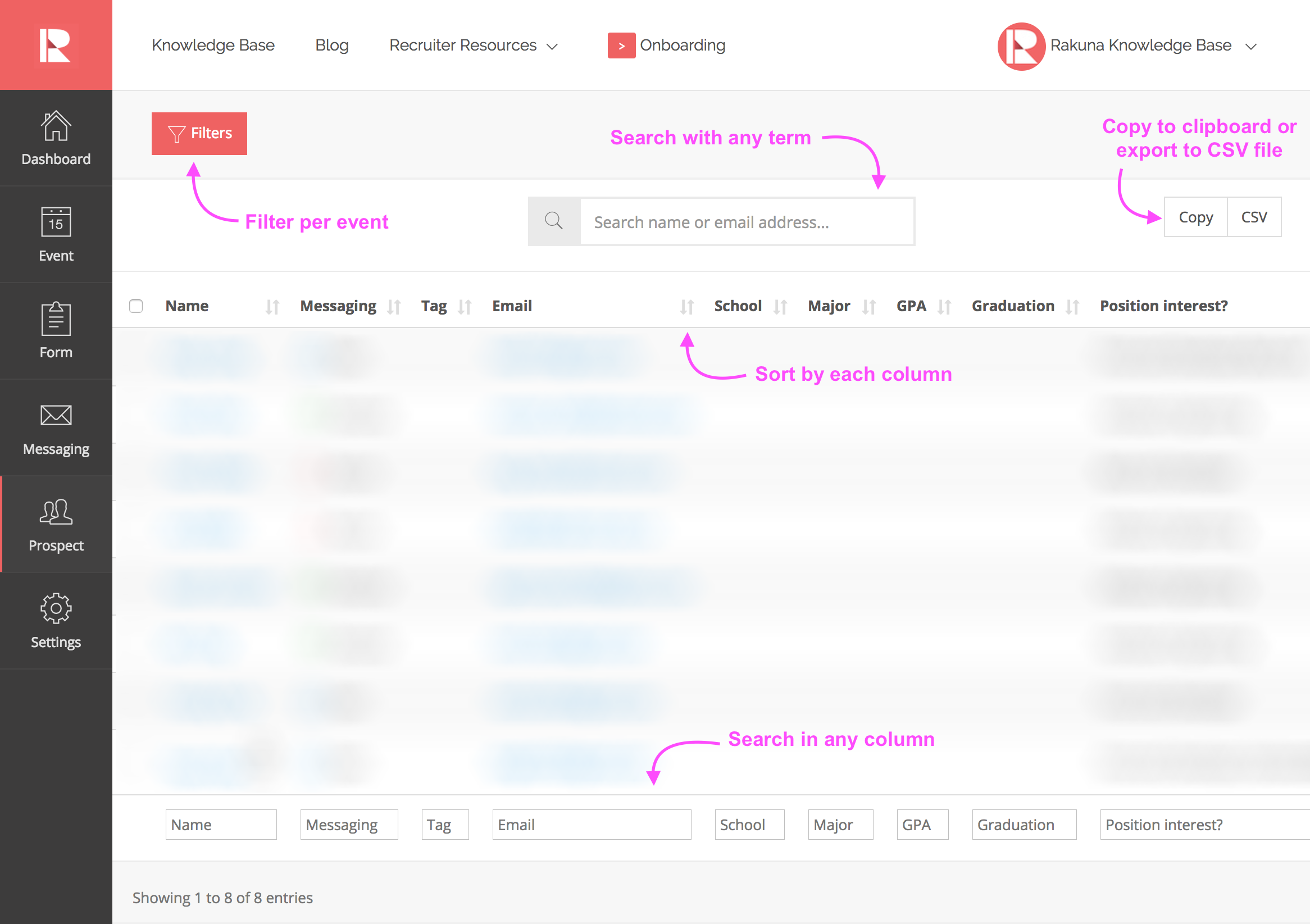
To view candidates from all events: Go to “Prospects.” You can search for specific candidates and filter candidates by event.
What can I do with the prospect data?
You can sort the prospect data however you would like in each category, edit the number of candidates displayed on the window, and export the data by copying it onto your clipboard or downloading it as a CSV or PDF file. Furthermore, you can also export these candidates to other ATS’s using App Integration.
Where can I view a summary of the prospect data?
If you go to the Dashboard menu, you will be able to view the Candidate Pipeline, which shows the over prospect data in the form of graphs. You can view:
- (Graph) Interactions over the past year summary (from Events and Interviews)
- (Table) List of top 15 institutions with the most number of events you have created
- (Graph) Graduation year summary, categorized by degrees (Associate, Bachelor, Master, Doctor, other)
- (Table) Prospect categorized by tags per event
- (Table) Recruiter stats
Can I share prospect data with other hiring managers without giving them access to Rakuna?
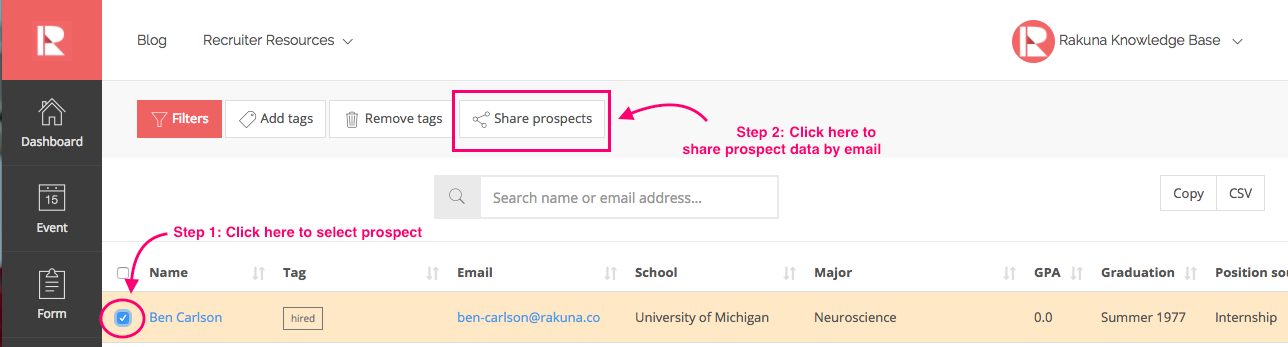
Yes. You can share prospect data with hiring managers or other recruiting colleagues for collaboration purpose via email. To do so:
- Select the prospect(s) you would like to share
- Click “Share prospects” on the top bar
- Choose “Reviewer” permission when sharing to recruiters so they can open the candidates’ profiles and collaborate on reviewing the candidates with you.