Create an Evaluation Form
What is the difference between a Draft form and a Published form?
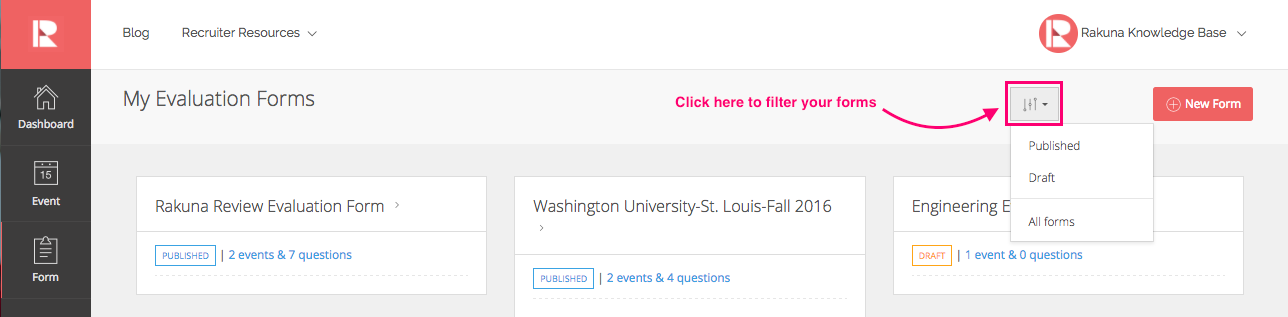
How do I organize my forms to show only draft forms or published forms?
An Evaluation Form or Form is a set of customized questions that recruiters can use during face-to-face interactions with candidates. A form can be created and customized with different types of questions, and be assigned to multiple events.
To create an Evaluation Form:
- Go to “Form” and click the “New form” button at the top right corner of the page;
- Fill in the form Title, drag the field of questions (boxes on the right) and drop into the grey area on the left;
- Click “Save as Draft” to save changes;
- Once all information is confirmed and you are ready to publish the form, click “Publish” to make it go live and ready to be assigned to the Event.
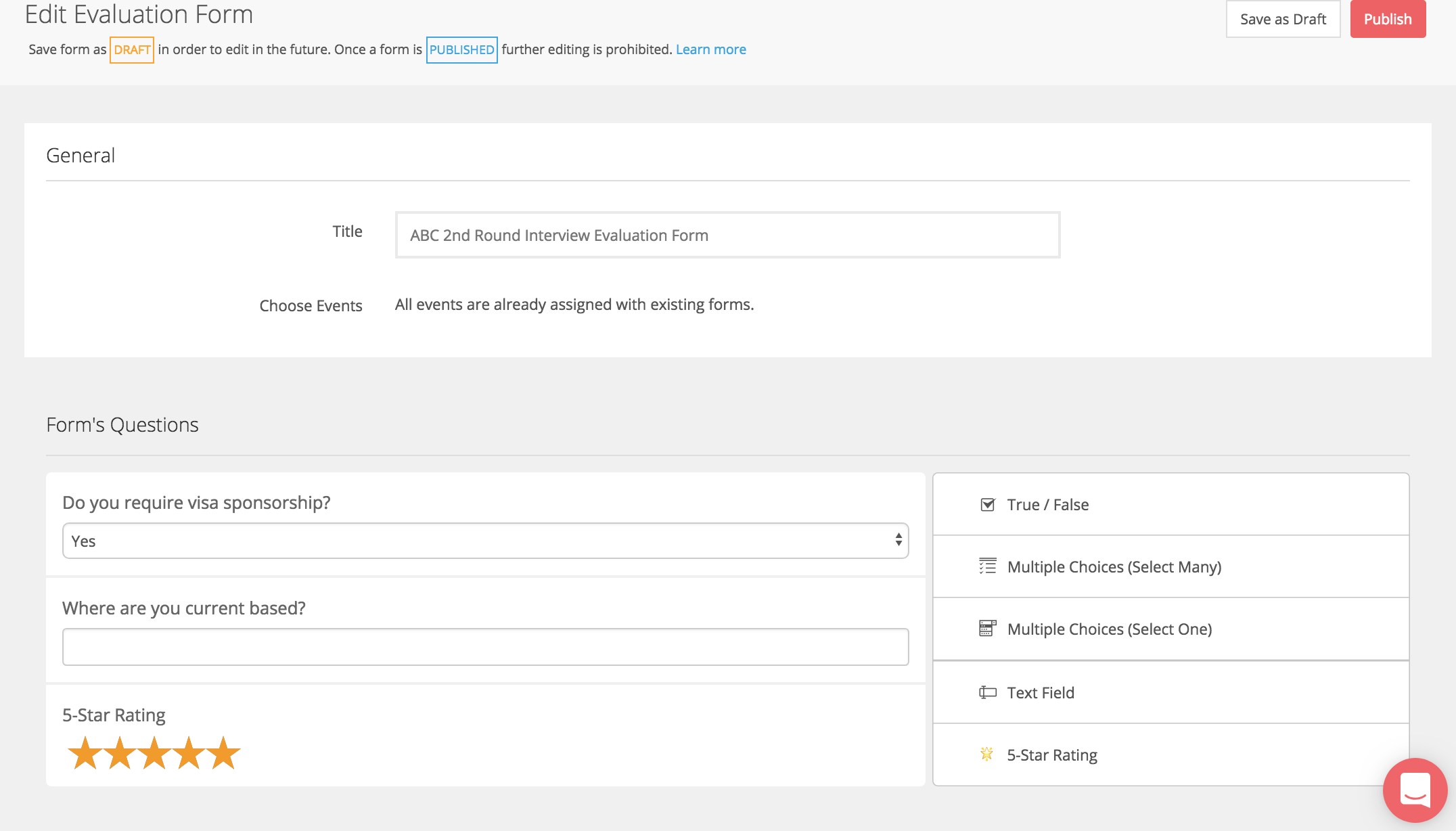
Note: Full name, Email and Phone Number are already included in the form by default when the Manual capture mode is selected on the mobile app. You don’t have to include these questions in your form again when creating a new one.
To view the published Evaluation Form:
- Go to “Event;”
- click on the hyperlink next to “Evaluation Form.”
What is the difference between a Draft form and a Published form?
Draft forms can be edited in the future. Once a form is published, except for the Form’s Title. further editing is prohibited.
How do I organize my forms to show only draft forms or published forms?
- Go to “Forms”
- Click the “Filter” icon (three vertical lines and a small arrow) to sort